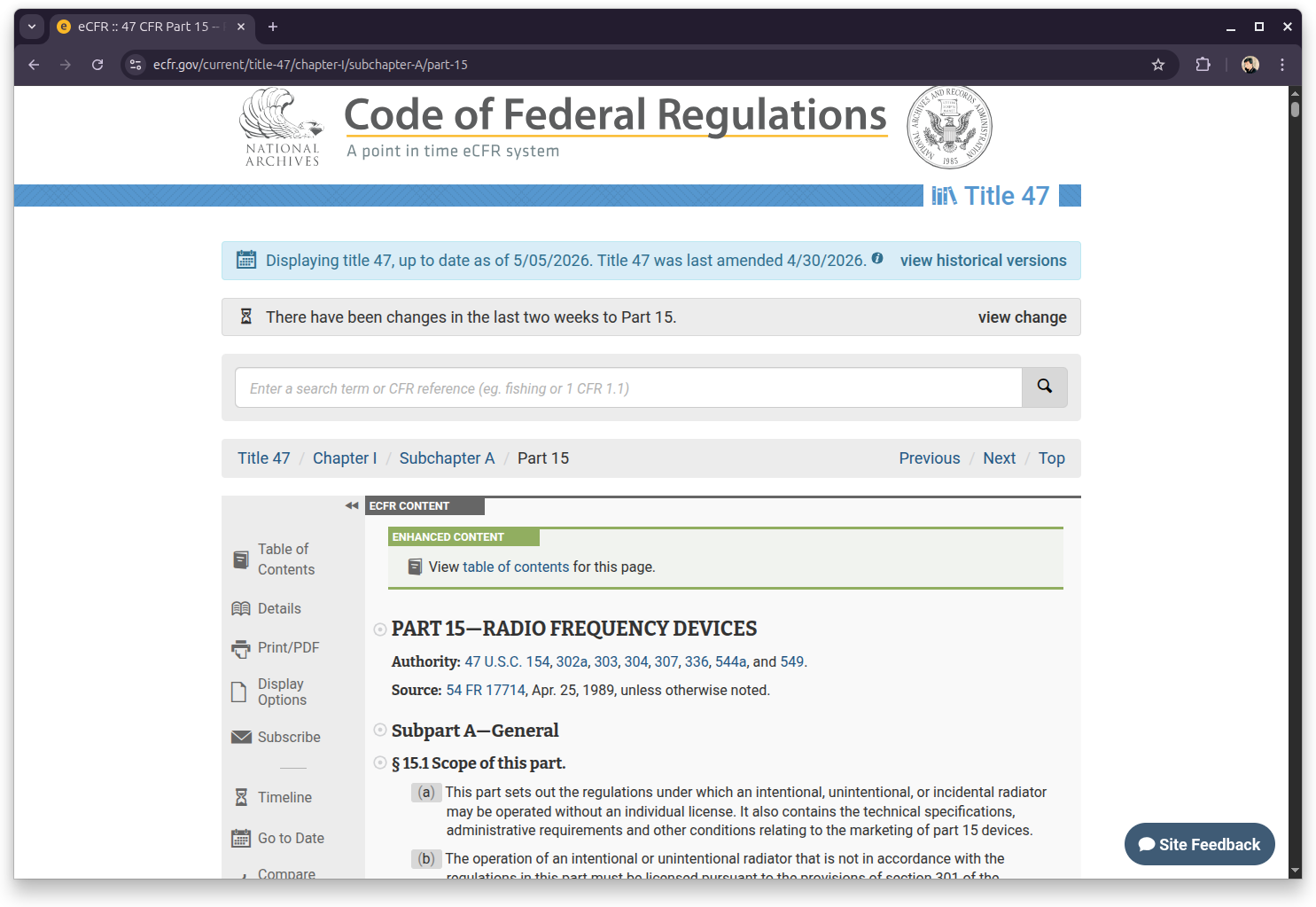
Disclaimer: Mesh networks over LoRa as described here (MeshCore/Meshtastic) do not require a license in the US, since they operate on the unlicensed & public domain 915 MHz ISM band under FCC Part 15. However, check your local regulations — ISM band rules vary by country. More on this at the end.
This post is almost about 3 months late, but I just joined the Greater Boston Mesh network and have absolutely been loving the experience. A lot of the joining in was just pure curiosity, and shortly after I got a little busy and my Mesh node has been staying inactive. but I still want to write about the experience; as well as recharge my node very soon.
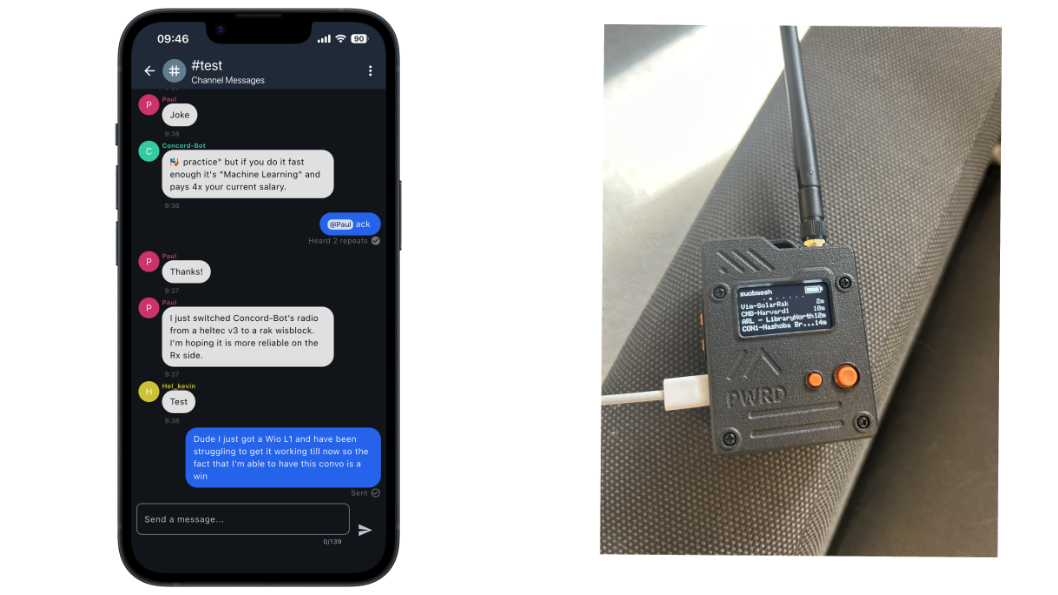
What you see here is a Mesh node on the right, specifically a Wio L1 Tracker Pro; finding other nodes and communicating via the Meshcore protocol. On the left, my phone running the Meshcore app is connected to my node via Bluetooth, and sending messages + communicating via the node. Let’s dive in.
Uhhh….Mesh?
Before we begin, what even is a mesh network?
I’ll try to draw a parallel here. Your router at home broadcasts WiFi and connects to the internet through your Internet Service Provider (ISP, folks like Spectrum and AT&T). That’s a hub and spoke model – everything flows through one central point, and if that point goes down, everything goes down with it. Mesh networking throws that out, and it throws the middleman hub out with itself.
In a mesh network, there is no central server. Instead, every node on the network is a client and a router. Nodes talk to each other, find routers dynamically, and traffic flows through whatever path happens to work right now. If you take out any given single node, the rest of the network [theoretically] figures out a detour (assuming you have a dense population of nodes within range).
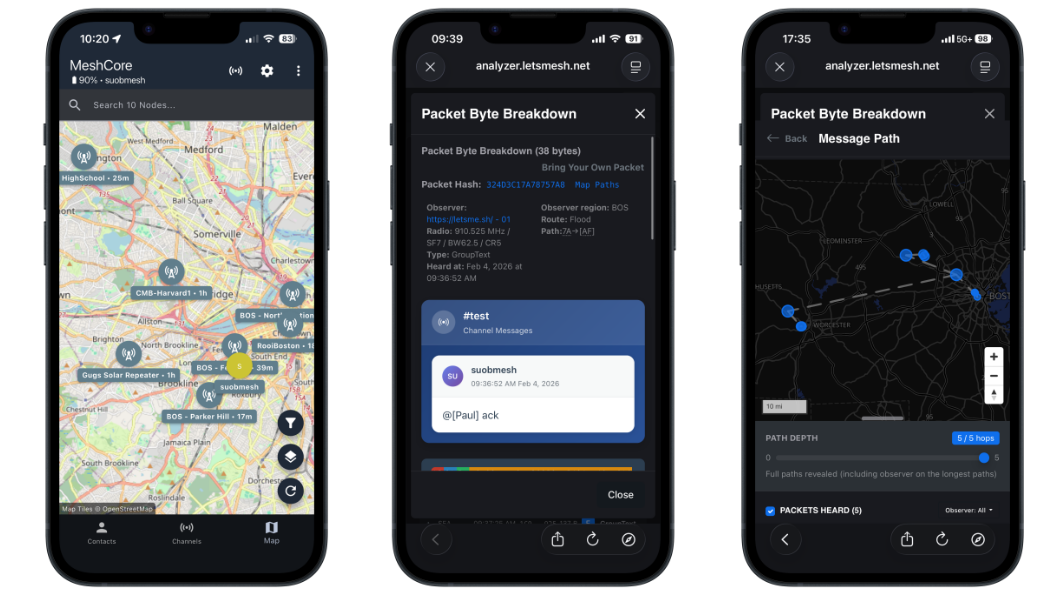
The left screenshot above are the nodes and repeaters that my own node has discovered. The right is the path of a given message, specifically the one in the message in the screenshot before this one.
When you send a message on the mesh, it doesn’t go directly to its destination. It gets broadcast to your immediate neighbors, and each of them rebroadcasts it, and so on — a controlled flood across the network. Each packet carries a hop count, and nodes that have already seen a given packet don’t rebroadcast it again. The result is that your message propagates outward without flooding the network into uselessness. And all of this data is transparent:
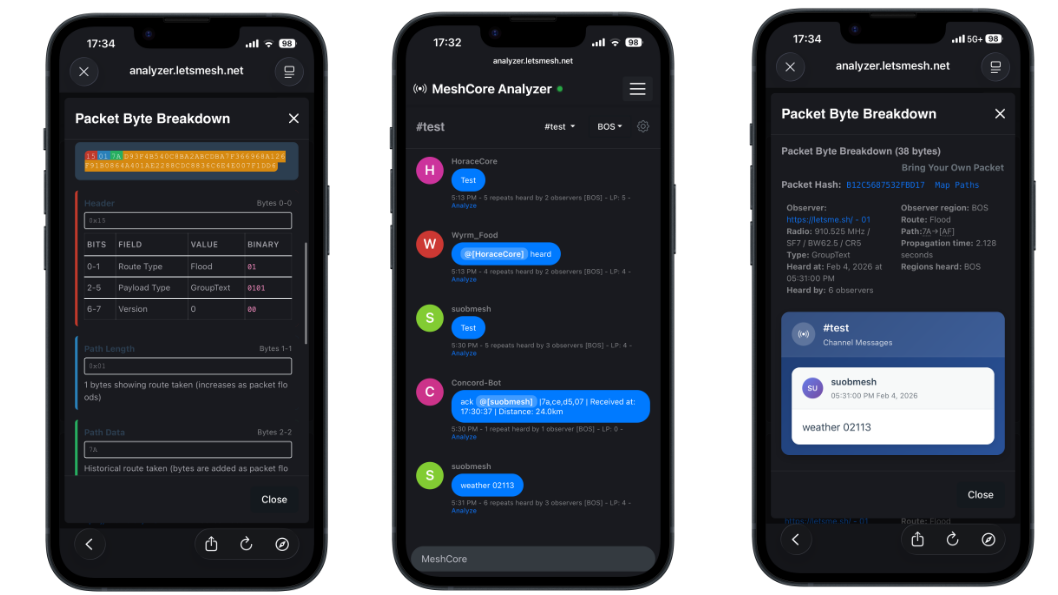
You can see exactly how your messages traveled: which nodes picked them up, in what order, and how many hops it took to get there. The hardware side is pretty accessible too. Most nodes are small microcontroller-based boards, think the size of a deck of cards (ok, not all of them are portable), paired with a LoRa radio module. People mount them in weatherproof enclosures on windowsills, rooftops, balconies. The barrier to entry is low enough that a reasonably technical person can have a node up in an afternoon.
The Greater Boston Mesh runs primarily on MeshCore, with some nodes on Meshtastic as well. Both use LoRa radio: long-range, low-power, operates on the 910 MHz band — which is why mesh nodes can cover greater distances than over Bluetooth or Wi-Fi. A well-placed node on a rooftop can reach several kilometers. No internet required, no cell towers, no ISP.
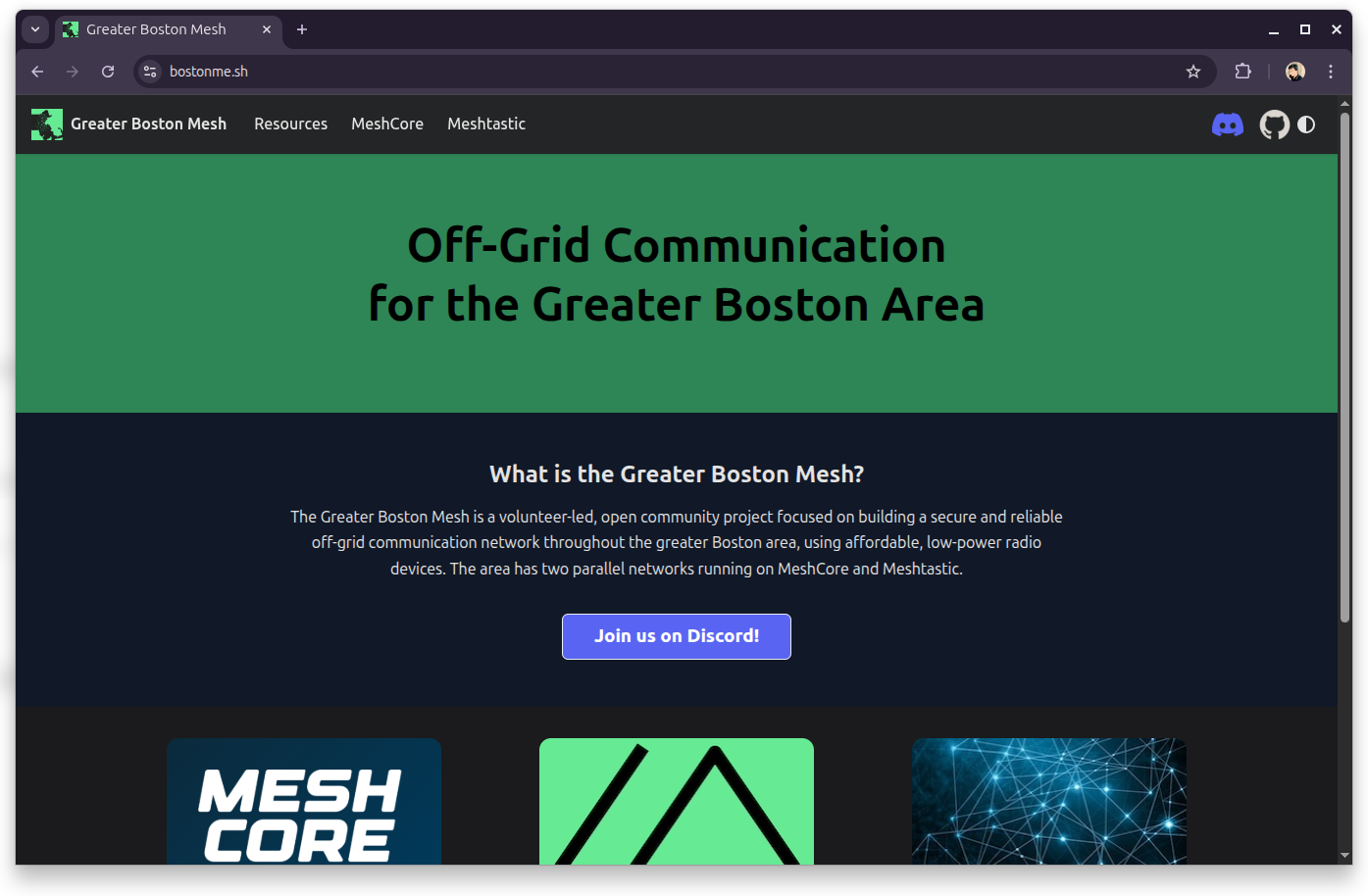
If you’re interested in the Greater Boston Mesh Network, visit bostonme.sh. There’s also a Discord server!!
The Community Part
What actually got me is that this isn’t a product. There’s no company running this. The nodes you see on that map — BOS-Northampton, CMB-Harvard1, Gugs Solar Repeater, RooiBoston — those are real people, running real hardware, out of their own apartments and rooftops, because they thought it was worth doing. Really, it all started watching friends of mine from UMass Amherst run their own Meshcore nodes and interact with the community (most of us come from a Systems, Networks, some-insert-low-level-background…and are naturally interested into things like this). Soon, I realized that there is a very invested and welcoming mesh community!!
The #test channel is exactly what it sounds like. It’s where people go to make sure their node is alive, check routing, and apparently also exchange jokes at 9:46 AM. When I first got my Wio L1 working and managed to get a message out, that was the first thing I said: “Dude I just got a Wio L1 and have been struggling to get it working till now so the fact that I’m able to have this convo is a win.” Paul immediately replied. A bot immediately replied. It felt like plugging into something that was already alive and humming.
The network is also, and I think this is the part that gets undersold, resilient by community intent. People are making deliberate choices about placement to maximize coverage. The network topology is a collective design decision made by dozens of individuals who have never met in the same room, yet it all comes together to form a pretty stable communications network. If you are out hiking or driving through a region with low to no cell reception, resilient communications like this matter a lot.
So Why Does This Matter?
We’ve built a lot of communication infrastructure on the assumption that there will always be a company maintaining it, a server staying up, a cell tower in range. Mesh networks are a hedge against that assumption. They’re also just interesting: decentralized, transparent, hackable in the good sense of the word.
The packet analyzer at analyzer.letsmesh.net is a good example of that transparency. You can take any packet hash, paste it in, and see the full byte breakdown: route type, payload type, path depth, propagation time, which observers heard it, which region. An example output:
Packet Hash: B12C5697532FB017
Route: Flood
Path: 7A → [AF]
Propagation time: 2.128 seconds
Heard by: 6 observers
Regions heard: BOS
(This was in Feb though)
That’s a message I sent sitting in my apartment in Boston, heard by six different nodes across the network in just over two seconds. No internet. No cell signal required. Just radio, and a bunch of people who decided to put nodes on their rooftops.
Cons
Well, there are quite some cons, but tldr: don’t expect reliable 100% uptime and communications, and definitely don’t expect to replace your existing devices.
LoRa is slow. Intentionally, structurally slow. The physical layer parameters visible right in those packet breakdowns tell the whole story: SF7, BW62.5, CR5. Spreading Factor 7 is the fastest end of the LoRa spectrum, but you’re still looking at a raw bitrate in the low kilobits per second. BW62.5 (62.5 kHz bandwidth) trades throughput for range and noise resistance. The 38-byte packet that carried my @[Paul] ack message took 2.128 seconds to propagate through the network. That’s a single short message. This is not a medium for file transfers, it’s not a medium for anything latency-sensitive, and it’s not going to replace your phone. It’s closer to SMS on a good day, and closer to paging on a bad one.
Flooding doesn’t scale cleanly. The routing strategy you can see in the analyzer — Route: Flood, Path: 7A→[AF] — means every packet gets rebroadcast by every node that hears it, up to the hop limit. That works fine at the current scale of the Boston mesh. But flood routing is fundamentally O(n) in network traffic as node count grows. Dense networks start seeing the rebroadcast storm problem: nodes are spending a significant chunk of their airtime forwarding other people’s packets rather than doing anything useful. MeshCore handles this better than naive flooding through managed flood strategies, but it’s still an inherent tension in the protocol design. The more popular this gets, the more carefully the routing strategy has to be managed.
The 910 MHz band is not obstacle-friendly. LoRa’s range figures are almost always quoted for line-of-sight outdoor conditions. Sub-GHz radio propagates better through obstacles than 2.4 GHz Wi-Fi, but “better” is relative. Concrete, brick, and steel-framed buildings still attenuate the signal significantly. If your node is sitting on a windowsill inside an apartment with other buildings across the street, you’re not getting the theoretical maximum. The Gugs Solar Repeater and the rooftop nodes around Cambridge show up strong on the map precisely because they have elevation and clear sightlines — that’s not an accident, that’s deliberate placement by someone who understands the RF environment. Most nodes aren’t that well-placed.
For example, I can ONLY communicate with my node when I am at the Prudential tower, or my lab. In my old apartment, the node is practically useless. An area like Boston is too dense, and sometimes outside of a niche hobby, communicating on the mesh feels like screaming into the void.
Coverage is a collective action problem. The map showing nodes around Boston looks decent in the dense core — Cambridge, Somerville, Allston, the South End. But mesh coverage is only as good as the density of nodes in a given area, and that density drops off fast outside the urban core. If you’re somewhere the mesh is thin, you might have one marginal upstream node available, and if that node goes offline, you’re isolated. There’s no SLA here, no on-call rotation, no one whose job it is to keep the network up. It’s a feature if you find it charming, a bug if you were counting on it.
Interoperability is messier than it sounds. MeshCore and Meshtastic coexist on the Boston mesh, and while they operate on the same physical layer, they don’t speak the same protocol natively. Bridging between them requires specific nodes running bridge firmware, and the seams show. If you’re on MeshCore and someone’s on Meshtastic, tough luck (?). The ecosystem is fragmented in the way early internet protocols were fragmented, which is historically interesting and practically annoying.
None of this is reason not to participate. But going in with a clear picture of what you’re working with makes the experience better, not worse.
A Quick Note on Licensing
A question that comes up a lot when people first hear about mesh networks operating on radio frequencies: do I need a ham radio license for this?
No, and here’s why.
Ham radio (Amateur Radio) operates on licensed spectrum. The FCC grants Amateur Radio operators access to specific frequency bands in exchange for passing a licensing exam, and in return those operators get higher power limits, more frequencies, and the ability to communicate internationally. The tradeoff is that licensed amateur bands prohibit encryption and commercial activity, and require station identification.
MeshCore and Meshtastic operate on ISM bands — Industrial, Scientific, and Medical — which in the US means the 915 MHz band (MeshCore operates at 910.525 MHz, as you can see right in the packet metadata). ISM bands are unlicensed by design. The FCC intentionally carved out these frequencies for low-power devices to use freely, which is why your Wi-Fi router, your microwave, your Bluetooth headphones, and your mesh node can all coexist without any of their owners holding a license. The catch is power limits: FCC Part 15 caps you at 1 watt of transmit power, and most LoRa modules run far below that in the 100–250mW range. You also have no interference protection — licensed users always take priority.
So the full picture is: you’re operating under FCC Part 15, the same regulatory umbrella as a Wi-Fi router. You buy a node, flash it, and you’re on the Greater Boston Mesh. The low power ceiling is part of why range is what it is, but it’s also what keeps the barrier to entry at “anyone can do this” rather than “anyone who passed a test can do this.”
That said, if you do have a ham license and want more range, there are amateur-band LoRa experiments happening — but that’s a different network with different rules, and encryption goes out the window. For the Greater Boston Mesh and most community mesh networks, Part 15 is the answer and a license is not required.